When it comes to digital security, McAfee has been a household name for decades. But in today's ever-evolving threat landscape, simply being "well-known" isn't enough. You need robust McAfee features, unwavering protection, and proven security efficacy to keep your digital life safe. So, how does this long-standing security giant stack up against modern cyber threats and your everyday needs? We've put McAfee through its paces to give you the clear, unbiased truth.
From securing your morning coffee shop browsing to safeguarding your most sensitive personal data, McAfee promises a comprehensive shield. But is it the right shield for you? Let's dive deep into what it offers, how well it performs, and where it truly shines—or stumbles.
At a Glance: McAfee's Core Strengths & Considerations
- Comprehensive Device Coverage: Offers security for Windows, macOS, Android, and iOS, with browser extensions for Chrome, Firefox, Safari, and Edge. Many plans provide unlimited device coverage, a significant differentiator.
- Top-Tier Malware Detection: Consistently earns perfect or near-perfect scores from independent labs like AV-Test for detecting both common and zero-day malware.
- Identity Protection Suite: Beyond antivirus, McAfee offers a strong suite of identity tools including Personal Data Cleanup, Online Account Cleanup, and identity monitoring, with advanced plans adding financial transaction monitoring and security freezes.
- Intuitive User Experience: Easy installation, a clear dashboard, and quick access to essential features make it user-friendly for all skill levels.
- 24/7 Support: Access to a comprehensive knowledge base, live chat, and phone support ensures help is always available.
- Performance Impact: Background scans are light, but deep scans can consume significant CPU and hard drive resources, especially if "Fast scanning" is disabled.
- VPN Speed & Effectiveness: The included VPN can significantly slow internet speeds, and the Web Protection browser extension wasn't always effective in tests.
- Privacy Policy Concerns: While McAfee doesn't log VPN usage (verified by audits), its US headquarters mean potential data disclosure to government agencies. Its privacy policy also allows for sharing user interaction data with third-party advertisers and law enforcement.
- Steep Price Hikes: Initial first-year pricing is competitive, but expect a substantial annual increase (often $60-$100) after the introductory period.
Beyond the Box Score: What McAfee Offers You
McAfee isn't just an antivirus program; it's a multi-faceted security ecosystem designed to cover various aspects of your digital presence. Think of it as a comprehensive toolkit, not just a single wrench.
Your Core Digital Defenses: The Antivirus Engine
At its heart, McAfee provides robust antivirus protection. This isn't just about scanning files you download; it's an always-on guardian for your device.
- Real-time Scanning: This is your first line of defense, constantly monitoring for suspicious activity and blocking threats before they can cause damage.
- Quick Scans: Need a rapid check? Quick scans are easily accessible and, in our tests, completed in about 3 minutes, though they can be CPU-intensive during that brief period.
- Deep (Full) Scans: These are the thorough checks, delving into every corner of your system. While the first deep scan can take a hefty 4 hours, subsequent ones are much faster (around 30 minutes to an hour), especially with "Fast scanning" enabled. Disabling this feature, however, significantly increases resource usage, pushing CPU to 50-60% and hard drive to 20-24%. You can also schedule these intensive scans, with McAfee defaulting to Mondays around 5:30 a.m. for minimal disruption.
Fortifying Your Online Presence: Web, VPN, and Insights
Your digital footprint extends far beyond your computer's hard drive. McAfee extends its protection to your online activities and provides insights into your security posture.
- Web Protection Extension: Compatible with Firefox, Chrome, Safari, and Edge, this extension aims to warn you about dangerous websites. In our testing, its efficacy was mixed, blocking only one out of four suspicious links, suggesting it might not catch every threat.
- Integrated VPN: For private browsing and secure connections on public Wi-Fi, McAfee includes a Virtual Private Network. Activation is simple—a quick toggle gets it running in about 30 seconds. It also supports split tunneling, allowing you to choose which apps use the VPN and which don't. However, a notable downside is its impact on internet speed; tests showed a significant slowdown (e.g., download speeds dropping to 276.05 Mbps from a higher baseline).
- McAfee Protection Score: This real-time metric gives you an immediate understanding of your security health. It automatically calculates your score based on active features and potential vulnerabilities, displayed prominently on your dashboard. It's a quick, jargon-free way to gauge if you're adequately protected.
- Scam Detector: While we couldn't performance-test this feature due to regional restrictions, it's designed to identify common scam parameters and even deepfake tells, adding an interesting layer of proactive protection against social engineering attacks.
Guarding Your Identity: Beyond Malware
True digital security in 2024 demands more than just antivirus. Identity protection is crucial, and McAfee offers a comprehensive suite to help you safeguard your personal information.
- Social Privacy Manager: This tool helps you manage and secure your privacy settings across various social media platforms, reducing your digital exposure. Family plans cover up to six people for this feature.
- Personal Data Cleanup: Data brokers collect and sell your personal information. This feature actively monitors these brokers and automatically sends removal requests to get your data off their lists. In our tests, it completed its initial scan and request process in minutes.
- Online Account Cleanup: Over time, we accumulate countless online accounts, many of which go unused but still hold sensitive data. This tool identifies these dormant accounts, helping you decide which to close to minimize your attack surface. It's surprisingly thorough, finding 108 accounts in 5 minutes initially, and growing to 434 after 30 minutes of continuous scanning.
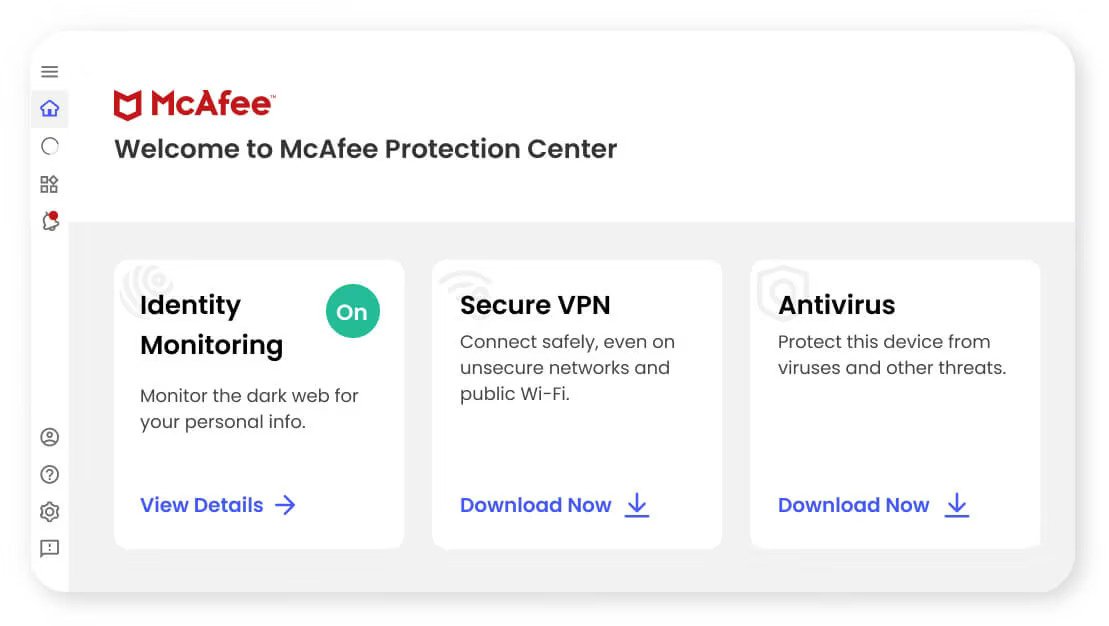
- Identity Monitoring: McAfee actively monitors for your personal information (like email addresses or social security numbers) on the dark web. Our testing found 47 breaches from 2016 in about 30 minutes, providing valuable insight into potential vulnerabilities.
- True Key Password Manager: Securely store and generate strong, unique passwords with this integrated manager. True Key utilizes AES-256 encryption and supports multifactor authentication, offering a strong defense against credential theft.
- Advanced Identity Theft Protection: For those needing a higher level of security, advanced plans include comprehensive identity theft protection, often with recovery services.
- Financial Transaction Monitoring: Keep an eye on your bank accounts and credit cards for suspicious activity.
- Security Freeze Options: In the event of identity theft, this feature helps you quickly freeze your credit to prevent new accounts from being opened in your name.
McAfee Plans: Navigating Your Options & Costs
McAfee provides a range of plans tailored to different needs and budgets, from basic antivirus to full-service identity protection. Understanding the pricing structure, especially the post-first-year increases, is crucial for making an informed decision.
Simple Antivirus Plan
- Coverage: Up to five devices.
- Cost: $40 for the first year, then $120 annually.
- Best For: Users primarily seeking core antivirus protection without the extensive identity or VPN features.
Individual Plans (for 1 person)
These plans offer escalating levels of protection for individual users.
- Premium:
- Cost: $50 for the first year, then $150 annually.
- Best For: Casual users who need a good balance of antivirus, web protection, and basic identity tools.
- Advanced:
- Cost: $90 for the first year, then $200 annually.
- Best For: Professionals or those needing more extensive data and asset protection, including enhanced identity features.
- Ultimate:
- Cost: $200 for the first year, then $280 annually.
- Best For: Users seeking full-service data protection, including comprehensive identity theft coverage (over $1 million in asset coverage) and all available features.
Family Plans (for multiple people)
McAfee's family plans are designed to protect multiple individuals and their devices, especially useful for households with children.
- Premium:
- Cost: $70 for the first year, then $170 annually.
- Advanced:
- Cost: $120 for the first year, then $300 annually.
- Ultimate:
- Cost: $250 for the first year, then $425 annually.
- Family Plan Specifics: These plans cover up to six people for features like the Social Privacy Manager and two adults for other identity protection tools.
The Pricing Catch: Steep Renewal Increases
A consistent theme across all McAfee plans is the significant price jump after the first year. You can expect annual renewals to increase by $60 to $100 compared to your initial introductory rate. This makes the first year very appealing but requires careful consideration for long-term budgeting. Always factor in the renewal price when evaluating the overall value.
Getting Started: Usability & User Experience
Even the most robust security features are useless if they're too difficult to use. McAfee generally excels in usability, offering a smooth experience from installation to daily management.
Installation Across Devices
- Windows: The installation wizard is straightforward. Once installed, McAfee immediately begins real-time scanning, providing instant protection. The main dashboard is intuitive, placing key features within easy reach.
- Android: Setting up McAfee on an Android device is quick and convenient, often done via a simple QR code scan. You'll find a "Smart Scan" button for quick checks, though the option to schedule scans isn't immediately apparent within the mobile interface.
- macOS and iOS: Similar user-friendly installation processes extend to Apple devices, ensuring broad compatibility and ease of deployment.
Navigating the Dashboard
McAfee's dashboard is designed with clarity in mind. Your "Protection Score" is prominently displayed, giving you an instant overview of your security status. While quick scans are readily accessible, full or deep scans require a slight navigation to "Scan Types," which isn't a deal-breaker but adds a minor extra step.
Activating Additional Features
Many of McAfee's additional security tools are just a few clicks away:
- Browser Extensions: The password manager (True Key), Social Media Privacy Manager, and Web Protection are typically activated and integrated into your browser (Chrome, Firefox, Safari, Edge) within minutes.
- Identity Protection Tools: Features like Personal Data Cleanup automatically spring into action, sending removal requests to data brokers without requiring extensive manual input. Online Account Cleanup and identity monitoring also initiate their scans quickly.
- VPN: The Virtual Private Network is computer-based and activates with a simple toggle, typically connecting in about 30 seconds. This ease of use makes it simple to turn on for public Wi-Fi or sensitive browsing.
The overall impression is one of accessibility. McAfee doesn't bury its best features behind complex menus, making it a good choice for users who want strong protection without a steep learning curve.
Under the Hood: Performance & Resource Impact
Antivirus software runs in the background, so its impact on your system's performance is a critical factor. We tested McAfee on a Windows 11 laptop to gauge its footprint.
Background Scanning: Barely a Whisper
When McAfee is simply running in the background, monitoring for threats in real time, its impact is minimal. Our tests showed CPU usage hovering between 0.1-0.5%, meaning it won't noticeably slow down your everyday tasks like browsing, word processing, or light multimedia.
Deep Scans: A Heavier Lift
- First Scan: The initial deep scan is comprehensive and resource-intensive, taking around 4 hours to complete. This is expected for a thorough system analysis.
- Subsequent Scans: Fortunately, subsequent deep scans are significantly faster, typically finishing in 1 hour down to 30 minutes, especially with "Fast scanning" enabled. During these scans, CPU usage was around 35-50% and hard drive resources at 7-10%.
- "Fast Scanning" Off: If you disable "Fast scanning" for a more granular check, resource usage increases notably, with CPU at 50-60% and hard drive utilization between 20-24%. While still manageable, this is something to be aware of if you're running other demanding applications.
Quick Scans: Fast, but Focused
Quick scans live up to their name, completing in about 3 minutes. However, during this short burst, they can be quite resource-hungry, using 60-70% CPU and approximately 10% hard drive resources. It's a trade-off for speed, but given its brief duration, it's unlikely to cause prolonged disruption.
Identity Tools: Swift & Thorough
- Personal Data Cleanup: This feature finished its initial scan and removal requests in just minutes.
- Online Account Cleanup: This tool proved efficient yet persistent, initially finding 108 accounts in 5 minutes and then expanding its discovery to 434 accounts after 30 minutes of continuous scanning.
- Identity Monitoring: It identified 47 breaches from 2016 within approximately 30 minutes, demonstrating quick access to potentially compromised information.
VPN Performance: The Speed Equation
While the VPN is easy to activate and includes split tunneling, its impact on internet speeds is significant. Our tests in Canada showed a noticeable decrease in download (276.05 Mbps) and upload (248.83 Mbps) speeds, alongside a slightly increased ping (4 Ms). If internet speed is paramount for gaming, streaming, or large downloads, you might find this slowdown frustrating.
Web Protection Efficacy: Room for Improvement
The Web Protection browser extension, intended to block suspicious links, was largely ineffective in our testing. It blocked only one out of four known suspicious links, indicating that users shouldn't solely rely on this feature for safe browsing.
Scam Detector: Untested Potential
The Scam Detector, which aims to identify common scam parameters and deepfake indicators, was not performance-tested due to regional restrictions. This suggests its availability or functionality may vary based on your location.
Overall, McAfee manages its resource impact fairly well for background operations and identity tools. However, the VPN's speed degradation and the browser extension's limited effectiveness are points to consider, especially if these features are key to your security needs.
The Ultimate Test: Security Efficacy & Privacy
The core reason you invest in security software is its ability to protect you. McAfee's security efficacy, backed by independent testing, is strong, but its privacy policies and VPN performance warrant a closer look.
Malware Detection: Consistently Top-Tier
When it comes to stopping malware, McAfee consistently receives high praise from independent testing labs. AV-Test, a renowned security product evaluator, routinely awards McAfee top marks. Our context research indicates:
- 100% Detection Rate: For common, widespread malware, McAfee achieved a perfect detection rate.
- 99.9% Detection Rate: Against tricky zero-day attacks (brand new threats that haven't been seen before), McAfee performed exceptionally well, catching nearly all of them.
These scores demonstrate that McAfee's core antivirus engine is highly effective at identifying and neutralizing a broad spectrum of threats, giving you confidence in its protective capabilities.
Password Manager: True Key's Strong Encryption
McAfee's integrated password manager, True Key, is a solid tool for securing your credentials. It employs AES-256 encryption, a standard used by governments and militaries worldwide, to protect your stored passwords. Additionally, it supports multifactor authentication (MFA), adding another critical layer of security to prevent unauthorized access to your password vault.
VPN Security & Privacy: A Nuanced View
The included VPN promises "bank-level encryption," which is reassuring. However, the real story of VPN privacy is often about jurisdiction and logging policies.
- US Headquarters: McAfee is headquartered in the United States. This means it has a legal obligation to reveal data to government agencies upon request. While this doesn't mean your data will be shared, it's a critical consideration for those prioritizing absolute anonymity.
- No Usage Logs (Verified): Crucially, McAfee explicitly states it does not log VPN usage, and this claim is verified by annual third-party audits. This means your online activities via the VPN are not being recorded by McAfee itself.
- Encryption: Data transferred via the VPN is encrypted with TLS 1.3, and data at rest (if any temporary data is stored) uses AES-256/SHA384.
The takeaway? While McAfee itself doesn't log your VPN activity, its US jurisdiction means it operates under different legal frameworks compared to VPNs based in more privacy-friendly countries.
McAfee's Data Handling & Privacy Policy: Where Transparency Matters
This is perhaps the most critical area for users concerned about their personal data. McAfee's privacy policy, like many large tech companies, contains some important clauses:
- Sharing with Third Parties: McAfee's policy states it may share user interaction data with third-party advertisers and vendors, including social media platforms. This is a common practice but one that privacy-conscious users should be aware of.
- Law Enforcement Cooperation: McAfee will share data with law enforcement agencies when legally obligated.
- Data Anonymization: Your data is not anonymized by default. You must specifically request anonymization.
- Encryption: All data is encrypted with TLS 1.3 during transfer and AES-256 at rest. However, McAfee retains access to its encryption key, meaning they could theoretically decrypt your data if compelled.
- Breach History: We found no records of McAfee experiencing data breaches within the past five years, which speaks to their internal security protocols.
For those who prioritize stringent data privacy, the aspects of McAfee's privacy policy regarding data sharing with advertisers and the retention of encryption keys are significant considerations. If this is a primary concern, you might consider pairing McAfee's strong antivirus with a separate, independently audited, no-log VPN from a privacy-friendly jurisdiction.
When You Need Help: Customer Support
Even with intuitive software, questions and issues can arise. Good customer support is essential, and McAfee provides several channels to get the assistance you need.
Comprehensive Knowledge Base
McAfee offers an extensive online knowledge base that is well-organized and largely jargon-free. You can often find answers to common questions and troubleshooting steps without needing to contact a human agent. This is a great first stop for self-help.
Live Chat
For more specific issues, live chat is available 24/7. After an initial interaction with a bot, our tests showed a connection to a live agent within approximately 2 minutes. This is a respectable response time, making live chat an efficient way to resolve problems.
Phone Support
If you prefer talking to a person, phone support is also available. Our testing indicated that connecting to a phone agent also happened within minutes, which is excellent for immediate, personalized assistance.
No Email Support
One notable absence from McAfee's support options is email support. While live chat and phone cover most immediate needs, some users might prefer the asynchronous nature of email for less urgent inquiries or for providing detailed documentation.
Overall, McAfee's customer support is robust and responsive through its primary channels, ensuring you can quickly get help when you need it.
The Verdict: Is McAfee Right for You?
After putting McAfee through a thorough examination of its features, performance, and security efficacy, we gave it an overall score of 8.8/10. It's a powerhouse, but not without its nuances. So, is it the right choice for your digital defense? To help you decide, let's summarize its core strengths and weaknesses.
Who McAfee Is Best For
- Families & Multi-Device Households: McAfee truly shines with its unlimited device coverage across many of its plans. This is a significant advantage over competitors like Bitdefender (typically 5 devices) and Norton (typically 10 devices), making it an excellent choice for protecting every gadget in a busy home without breaking the bank.
- Users Prioritizing Top-Tier Malware Protection: With consistently perfect or near-perfect scores from AV-Test for malware detection, you can trust McAfee's core antivirus engine to guard against the latest threats.
- Those Seeking Comprehensive Identity Protection: Beyond basic antivirus, McAfee's suite of identity tools—from Personal Data Cleanup to financial transaction monitoring—offers a robust defense for your personal information, especially in its Advanced and Ultimate plans.
- Users Who Value an Intuitive Experience: The easy installation, clear dashboard, and straightforward activation of features make McAfee very user-friendly, even for those less tech-savvy.
- Individuals Who Want Responsive Support: With 24/7 live chat and phone support, you're never left in the dark if you encounter an issue.
Where McAfee Might Give You Pause
- If VPN Speed is Critical: The included VPN, while easy to use and featuring split tunneling, significantly slows down internet speeds. If fast connections are paramount for streaming, gaming, or large downloads, you might find this frustrating.
- For Ultra-Privacy Advocates: While McAfee doesn't log VPN usage (and this is audited), its US headquarters mean it's subject to US legal obligations to reveal data if requested by government agencies. Furthermore, its privacy policy indicates it may share user interaction data with third-party advertisers. If these are deal-breakers, a separate, audited, non-US-based VPN might be a better fit.
- If You Rely Heavily on Browser-Based Web Protection: Our tests showed McAfee's Web Protection extension was largely ineffective, blocking only one of four suspicious links. Consider using a separate, more robust safe browsing extension if this feature is crucial for you.
- Budgeting for Renewals: The steep price increase after the first year (often $60-$100) is a significant drawback. Be sure to factor in the renewal price when assessing the long-term cost.
If you're looking for a broad, family-friendly security solution that offers unlimited device protection and top-notch malware defense, McAfee is a strong contender. However, for those with specific needs around VPN speed, stringent privacy, or browser-level web filtering, you may want to supplement McAfee with alternative tools, or perhaps consider if McAfee is worth it for your particular use case given its pricing and other aspects. Ultimately, McAfee provides a powerful, all-encompassing suite, but understanding its strengths and limitations is key to making the best choice for your digital security.